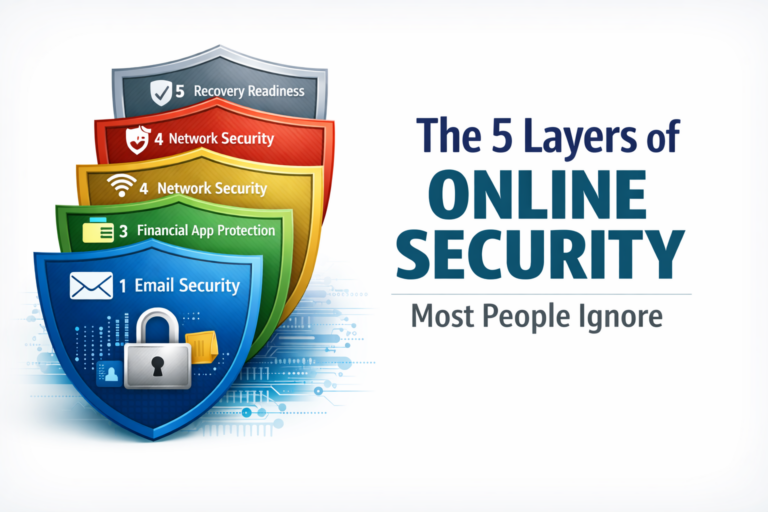
The 5 Layers of Online Security Most People Ignore
Most people don’t get hacked by expert hackers.
They get hacked because one small thing was missing.
Maybe they:
- Used the same password twice
- Clicked the wrong link
- Trusted a message they shouldn’t have
That’s all it takes.
Most people think they’re safe because they’ve done something:
- Installed antivirus
- Turned on extra security
- Avoided public Wi-Fi
But here’s the truth:
👉 Online security doesn’t work one piece at a time
👉 It works like a system with layers
Think of it like locks on your house.
If one lock breaks, the others should still protect you.
If you only have one lock…
👉 you’re easy to get into
If you’re new to this, start here:
👉 Identity & Account Security Guide
🧠 Layer 1: Email Security (Your Most Important Account)
Your email is the most important account you have.
Why?
Because almost every account you own connects to it.
If someone gets into your email, they can:
- Reset your passwords
- Access your bank apps
- Take over your accounts
Simple example:
Someone clicks “Forgot Password” on your bank account.
The reset link goes to your email.
👉 If they control your email… they control your bank.
That’s why attacks usually start here.
Learn how this happens:
👉 https://securewithvpn.com/how-hackers-take-over-email-accounts/
🔐 Why passwords are NOT enough
Even strong passwords can be stolen.
That’s why people use something called:
👉 Two-Factor Authentication (2FA)
This means:
- You enter your password
- Then you enter a code sent to your phone
But here’s the problem:
👉 Not all 2FA is safe
Some types (like text message codes) can be stolen.
If you haven’t set this up correctly, read this:
👉 https://securewithvpn.com/is-sms-two-factor-authentication-safe/
If your email is not secure, nothing else is.
📱 Layer 2: Phone & SIM Protection (Very Important and Often Ignored)
Your phone is now your:
- Wallet
- ID
- Security key
📌 What is a SIM card?
A SIM card is the small chip inside your phone.
It gives you:
- Your phone number
- The ability to send and receive texts
- Phone calls
Without it, your phone can’t get login codes.
🚨 What is a SIM swap?
A SIM swap is when someone takes your phone number and puts it onto their phone.
👉 They don’t need your phone
👉 They just take your number
⚠️ How does this happen?
An attacker:
- Finds your phone number
- Calls your mobile company pretending to be you
- Says: “I lost my phone, I need a new SIM”
- If the company believes them… they move your number
💥 What happens next?
- Your phone suddenly stops working
- You stop getting texts
👉 But the attacker now gets your messages
That means they can receive:
- Login codes
- Password reset texts
- Security alerts
Simple example:
They try to log into your email.
Click:
“Send code to phone”
👉 The code goes to THEM
Now they reset your email… and take everything connected to it.
Learn more here:
👉 https://securewithvpn.com/can-hackers-see-you-through-your-phone/
If your phone isn’t secure, your accounts aren’t either.
💳 Layer 3: Financial App Protection
Apps like banking or payment apps feel safe.
But they depend on your:
- Phone
Simple example:
If someone:
- Takes your email
- Takes your phone
They can:
- Reset your banking app
- Log in
- Move your money
👉 The app didn’t fail
👉 Your protection layers did
If you use apps like GCash:
👉 https://securewithvpn.com/is-your-gcash-account-really-safe/
Your money is only as safe as your weakest layer.
🌐 Layer 4: Network Security
Public Wi-Fi (like in cafés or airports) is not always safe.
On the wrong network, someone could:
- Watch your connection
- Trick you into logging into fake websites
- Steal your information
Simple example:
You open your email on public Wi-Fi.
But the login page is fake.
👉 You type your password
👉 They now have it
See how this works:
👉 https://securewithvpn.com/is-public-wi-fi-safe-what-hackers-can-actually-see/
This layer helps protect your connection.
⚠️ Layer 5: Recovery (What You Do When Something Goes Wrong)
This is the layer most people forget.
Even smart people:
- Click bad links
- Reuse passwords
- Lose phones
The difference is:
👉 How fast you respond
Two types of people:
Prepared:
- Acts fast
- Locks accounts
- Stops the damage
Unprepared:
- Panics
- Waits too long
- Loses control
If something goes wrong, start here:
👉 https://securewithvpn.com/what-to-do-after-being-hacked/
See how scams really happen:
👉 https://securewithvpn.com/tech-support-scam-story/
Preparation keeps problems small.
🧩 How All 5 Layers Work Together
Think of your security like a house.
You don’t just lock the front door.
You have:
- Locks
- Windows
- Alarms
Your online layers are:
- Phone
- Financial apps
- Network
- Recovery plan
If one fails, the others protect you.
👉 That’s how real security works
🛡️ Helpful Tools (Simple Protection)
You don’t need everything.
Just the right tools.
🔐 Device Protection
Bitdefender Total Security
https://bitdefender.f9tmep.net/c/6963914/2999423/4466
Helps:
- Block viruses
- Detect threats
- Protect your data
🌐 Network Protection
Helps:
- Protect your internet connection
- Keep you safe on public Wi-Fi
🧠 Your Awareness (Most Important)
Always watch for:
- Urgent messages
- Requests for codes
- Anything that feels off
👉 Most attacks work because people are rushed or distracted
🚀 Final Thought
You don’t need to be perfect.
You just need to not leave easy openings.
Most people don’t need complicated tools.
They need a simple system that works together.
If you want a step-by-step way to set this up:
👉 The 60-Minute Internet Security Reset
⚠️ Remember:
You don’t need to be smarter than hackers.
👉 You just need to be harder to trick.